As someone engaged in wireless AP troubleshooting, I have seen many cases of sticky-client issues. It often mentions that the client is right next to or directly under an AP, but it connects to another, more distant AP and does not roam to the nearest one.
The simple, usual answer is that the client is always the one who decides when and where to roam, unless there is clear evidence to indicate otherwise. However, this answer is not always accepted easily.
In roaming situations, the reassociation frame is always a factor discussed, but there are also other things happening. I had previously tested this in my home lab for some roaming issue cases, but I wanted to do it again to keep a record of the tests.
The test is fairly simple. I set up two Meraki APs, MR44 and MR45 on the same 5 GHz channel so that all frames could be captured in monitor mode using my MacBook Pro, this setup is only for testing purposes. First, place the MR44 in the next room and connect the client, then enable the SSID on the MR45 in the same room to observe the roaming behavior.
I used to walk around with my client device in my home for roaming tests, but after gaining some experience, I realized this is not the only approach. If the client receives a weaker signal from the AP, it will start searching for a better AP with a stronger signal. So, adjusting the AP TX power makes this process easier in the lab, and at the same time, I can still monitor multiple devices on my desk for analysis.
Here are the test steps and the results of my observations.
1. Configure the first AP and connect the client
On the dashboard, this only takes a few clicks by following these steps, and then I need to wait for a moment until the AP receives the new setting from the cloud. In my case, I initially set the transmit power to 14 dBm for the MR44.

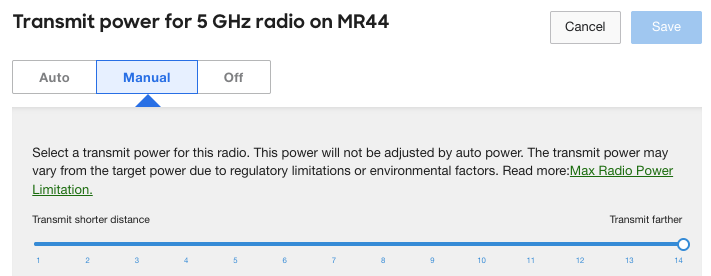
Then I connected my iPhone as a client.

2. Observe the client’s behavior when the signal is decreased
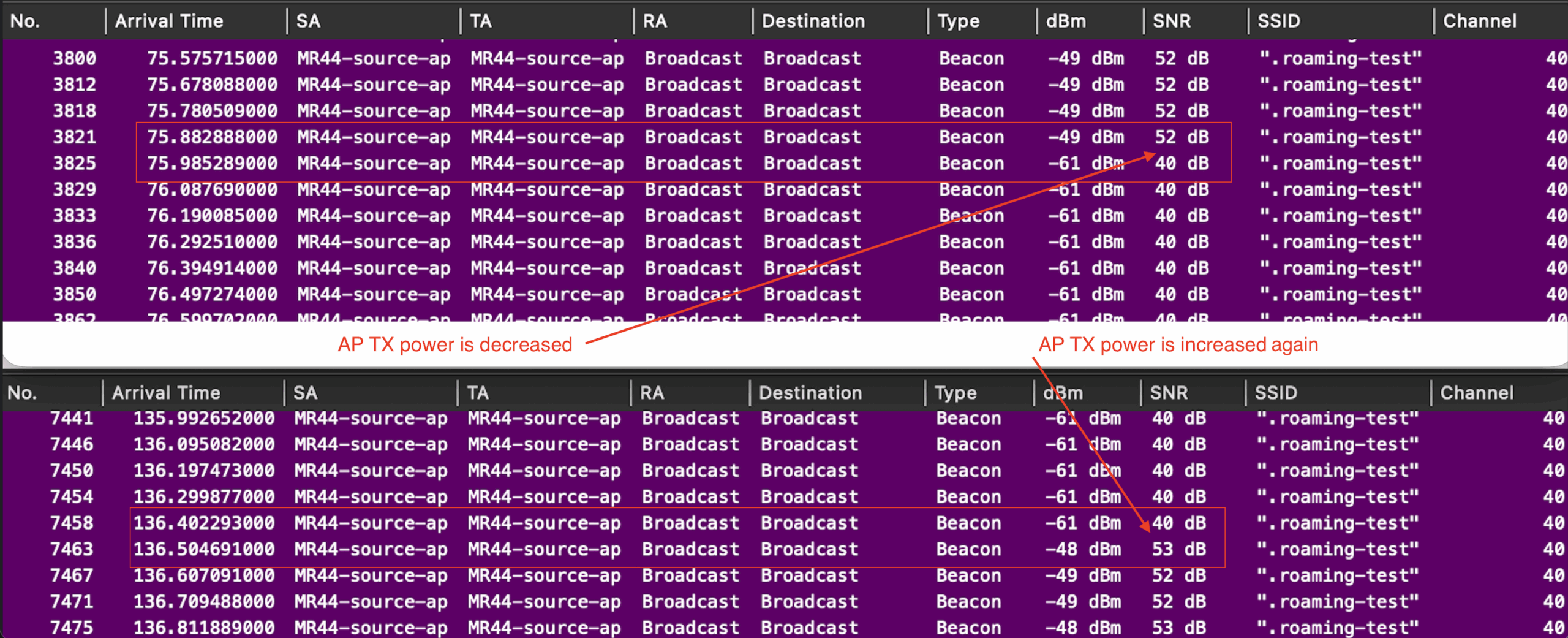
Before the roaming test, I wanted to observe how the client behaves depending on changes in the signal it receives. I captured traffic for three minutes, the first minute with the TX power set to 14 dBm, then reduced it to 1 dBm for the second minute, and finally reverted it back to 14 dBm to observe the changes in signal strength.
The wireless capture taken by my MacBook was positioned right next to my iPhone, allowing it to observe the same changes as the iPhone in the air. This shows the signal strength changing twice in the beacons, first decreasing and then increasing in the following minutes, each corresponding to my setting adjustments.
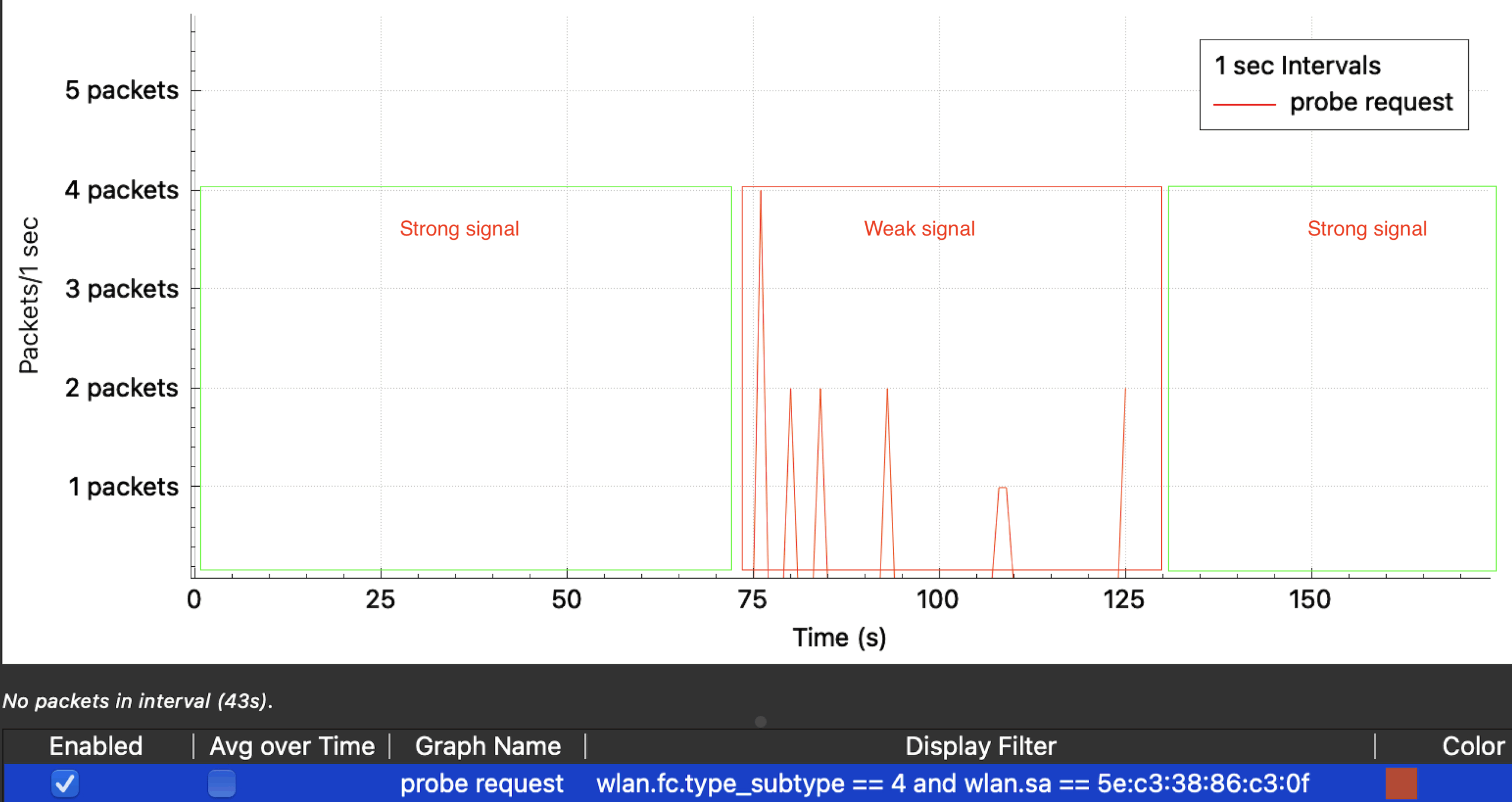
After the client receives weaker signals, it begins sending probe requests, as shown in this I/O graph in Wireshark. This behavior is an attempt to find a better AP with a stronger signal.
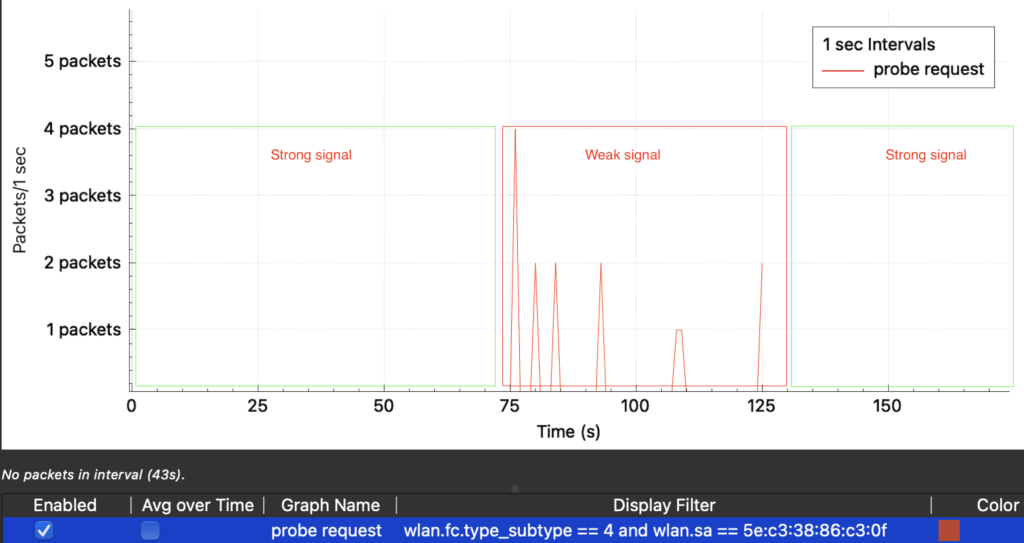
So, this explains that one of the key factor in roaming behavior is the probe request, which is sent before reassociation frames, allowing the client to learn about another BSSID to attempt connection.
3. Add MR45 with a stronger signal to trigger roaming
To further confirm, I enabled the SSID on the MR45 and decrease the TX power of MR44 to see how the roaming occurs.
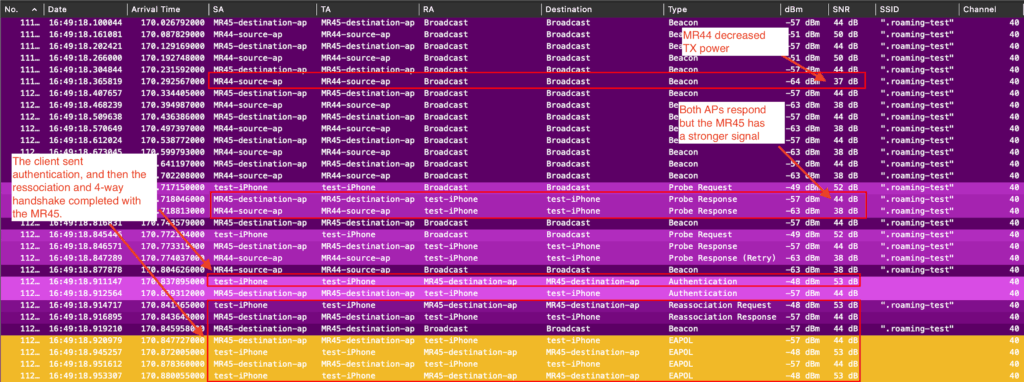
Once I decreased the MR44 TX power, we observed probe requests from the client and saw that the MR45 sent probe responses to the client, with its signal stronger than the MR44 at the client’s location. The client then decided to roam to this AP by sending the subsequent authentication and reassociation frames. A full 4-way handshake was also observed.
The SSID is WPA2-Personal for this test, so the observed frames are fairly simple. However, an SSID using WPA-Enterprise may be somewhat more complex, with additional considerations related to 802.1X authentication and features such as 802.11r. Even if authentication is successful, further subsequent wired traffic related to DHCP or ARP could still be affected by other connection issues, depending on the environment.
Summary
The above example is a simple test result, but signal is not the only factor for the client to decide, according to this link by Apple, other criteria also apply, and these may differ for each vendor and OS.
However, checking a wireless PCAP captured at the client’s location to observe the frames and the client’s behavior can help in understanding this type of issue.
Therefore, my basic questions when encountering a similar issue would be:
1. Does the client send probe requests?
2. If so, do the APs send probe response, and does the client see them?
3. If so, does the client roam to the AP for a reasonable reason, based on comparing the frames from the APs?
If the client is satisfied with the current AP, it wouldn’t send probe requests, hence, we might not see a reassociation exchange, and roaming would not occur.
In such cases, investigating and improving the RF environment by relocating APs, or adjusting factors such as the AP’s TX power, minimum bitrate, or enabling features like RX-SOP, could also be considered.
Lastly, subscription should be required, but this Probe as Happiness Index video of O’Reilly online was very informative, helping me understand how to use probe requests as an indicator of client roaming.
Thank you for reading through this post. I hope this helps.
Comments