I had a case where many clients were unable to connect to their SSID, and this post explains what I learned from that case, including related topics such as rogue APs, 802.11w, and the differences between WPA-Personal and WPA-Enterprise.
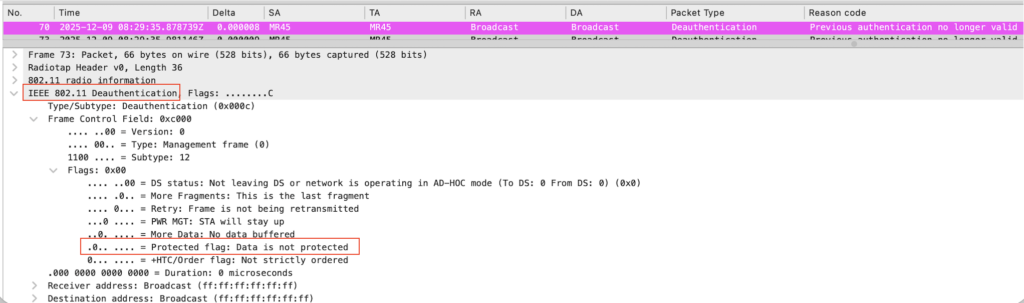
When I began the investigation, I immediately determined that the issue was likely caused by a rogue device and that the customer’s network was under containment, as I observed a large number of broadcast deauthentication frames being sent from a spoofed BSSID in the wireless capture. Therefore, the next step for this issue is usually to ask the customer to check the site for any suspicious devices by tracking where the deauth frames are coming from.
Alternatively, enabling 802.11w can be used to mitigate deauth attacks by utilizing MFP (Management Frame Protection), but the customer had already tried it and reported that it did not work.
There was additional information that the issue occurred only on SSIDs with 802.1X authentication and not on those with PSK. This helped identify the reason for the issue.
In conclusion, this issue is related to the difference in authentication completion times. PSK authentication is usually completed much more quickly than 802.1X authentication, which requires additional time to communicate with the RADIUS server. If clients receive a deauth frame before completing authentication, they will not be able to connect to the SSID, since MFP only takes effect after a successful 4-way handshake.
This is mentioned in this Wikipedia article as below. The Cisco document provides more detailed information.
It is infeasible/not possible to protect the frame sent before four-ways handshake because it is sent prior to key establishment.
Although these explanations clarify why MFP does not work in this case, but I wanted to test it myself to fully understand the details.
I used Meraki APs, which provide a feature called Air Marshal that serves as a wireless security mechanism for monitoring and containment. For my test, I used two APs, an MR45 and an MR44, one acting as a malicious device sending deauthentication frames, and the other as the victim AP. This test can be performed by placing each AP in a different Meraki network. I also tested it with PSK to compare the results.
1. Working PSK (WPA-Personal) test scenario
The first thing I needed to do was set up an SSID on the victim AP, so I named it “.deauth-test”. I used WPA2 this time to confirm whether the absence of 802.11w is actually causing client disconnect issues, since with WPA3, 802.11w is mandatory. For the malicious device, I configured Air Marshal on MR44 to specifically contain the aforementioned SSID sent from MR45.
After connecting a client, I confirmed the disconnect issue without enabling 802.11w.
I also observed that the broadcast deauthentication frames did not have the protected flag.
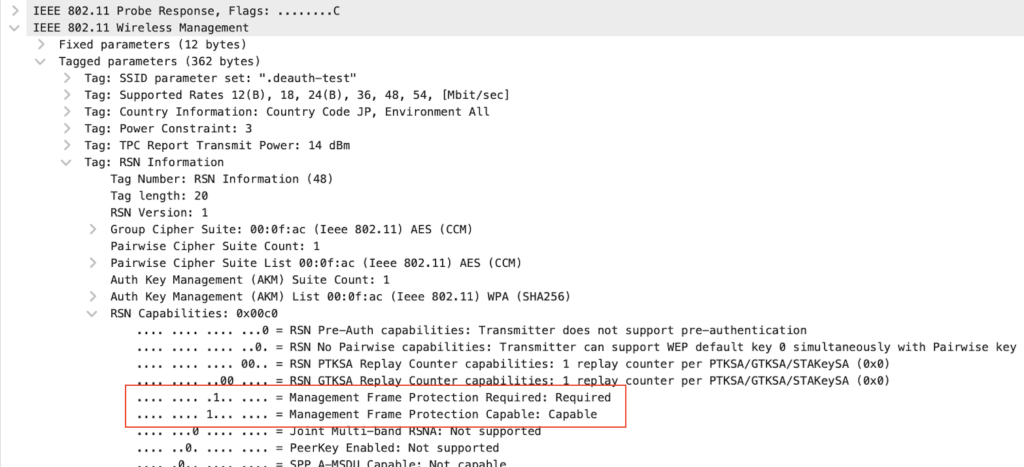
I then enabled 802.11w and connected the client a couple of times. The AP now includes MFP required and capable flags, as seen in the image of probe response. The client then stayed connected to the AP, which indicates that 802.11w successfully prevented the deauthentication attack, as the client now expects deauth frames to have the protected flag.
2. Non-working 802.1X (WPA-Enterprise) test scenario
After changing the SSID to use 802.1X (with 802.11w still enabled), I also set up a RADIUS server. I have already posted an article about using GNS3 for 802.1X authentication.
If the malicious AP sends deauth frames at very short intervals before the completion of the 4-way handshake, the issue should occur. This time, I tried a different approach and used link control to make the 802.1X process take longer.
This is a great feature for conducting this type of test. With it, I can add latency to the desired link, in this case, I added 500 ms of latency between the virtual switch and the server (AAA2 in the image below).
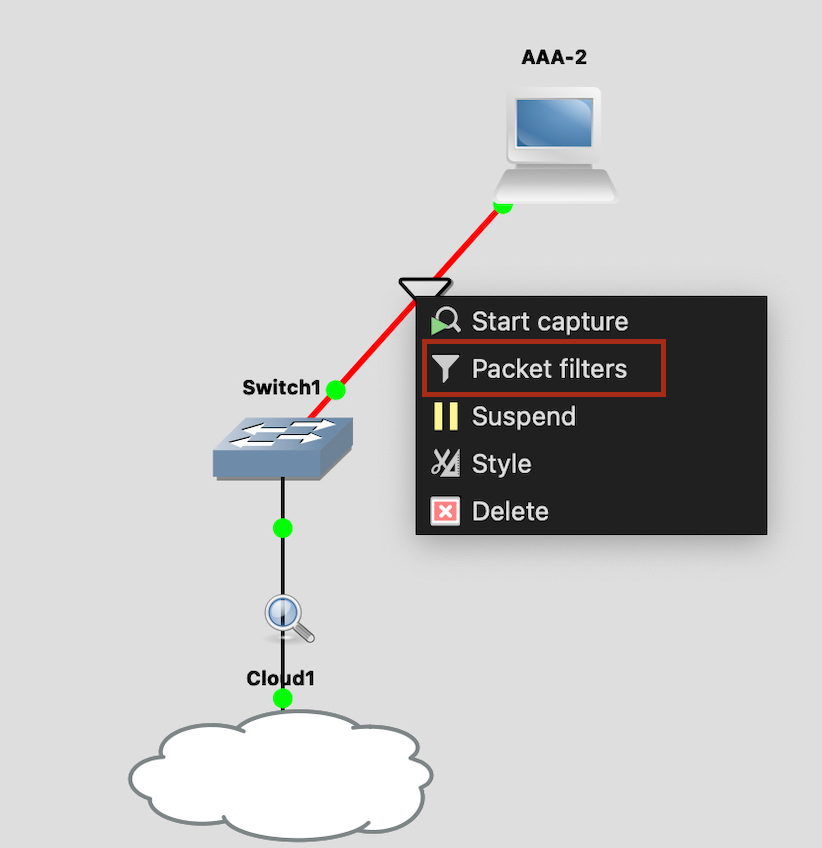

Because of this, the 802.1X authentication process will take longer and will be more affected by the deauth frames constantly sent by the malicious device.
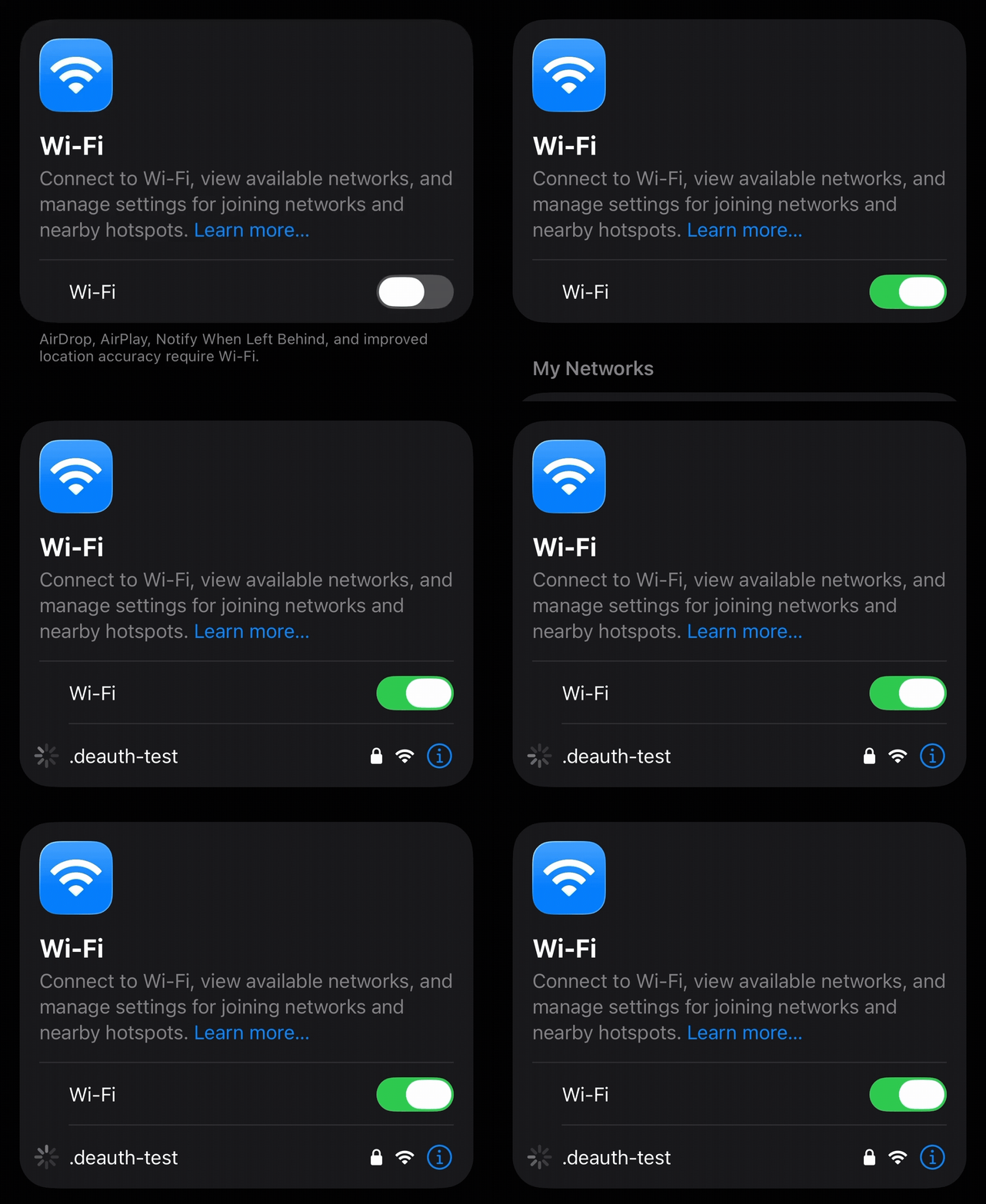
When I try to connect to the SSID on my iPhone, a loading icon appears and then disappears on the settings page. It keeps trying but never successfully connects.
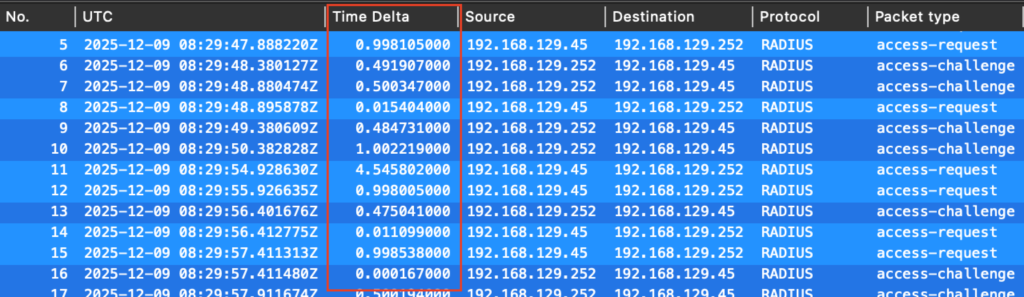
The wired capture taken on the upstream link in GNS3 shows that no Access-Accept is observed from the server. The observed time delta between the AP and the server increases with added latency, resulting in a delay in the authentication process.
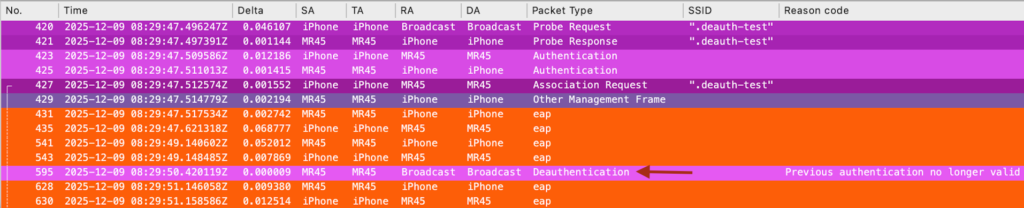
Checking the wireless capture at the same time, I see that EAP exchanges occur between the client and the AP, but a deauthentication happens in the middle of the process. The client then restarts the EAP process, but it never completes, and the 4-way handshake is never observed.
Summary
Even though 802.11w can be used to mitigate deauthentication attacks, it is not always effective—especially if the server is located in the cloud or a data center accessible via VPN, which adds additional time to complete the authentication process. The interval at which deauthentication frames are sent by the malicious device is also a factor.
Also, since certain tests are not always feasible, taking a different approach, such as intentionally extending the authentication process as in the above test, can help observe the issue and gain more detailed insights.
Thank you for reading through this post. I hope this helps.